check_circle Included with Free
In-group insights
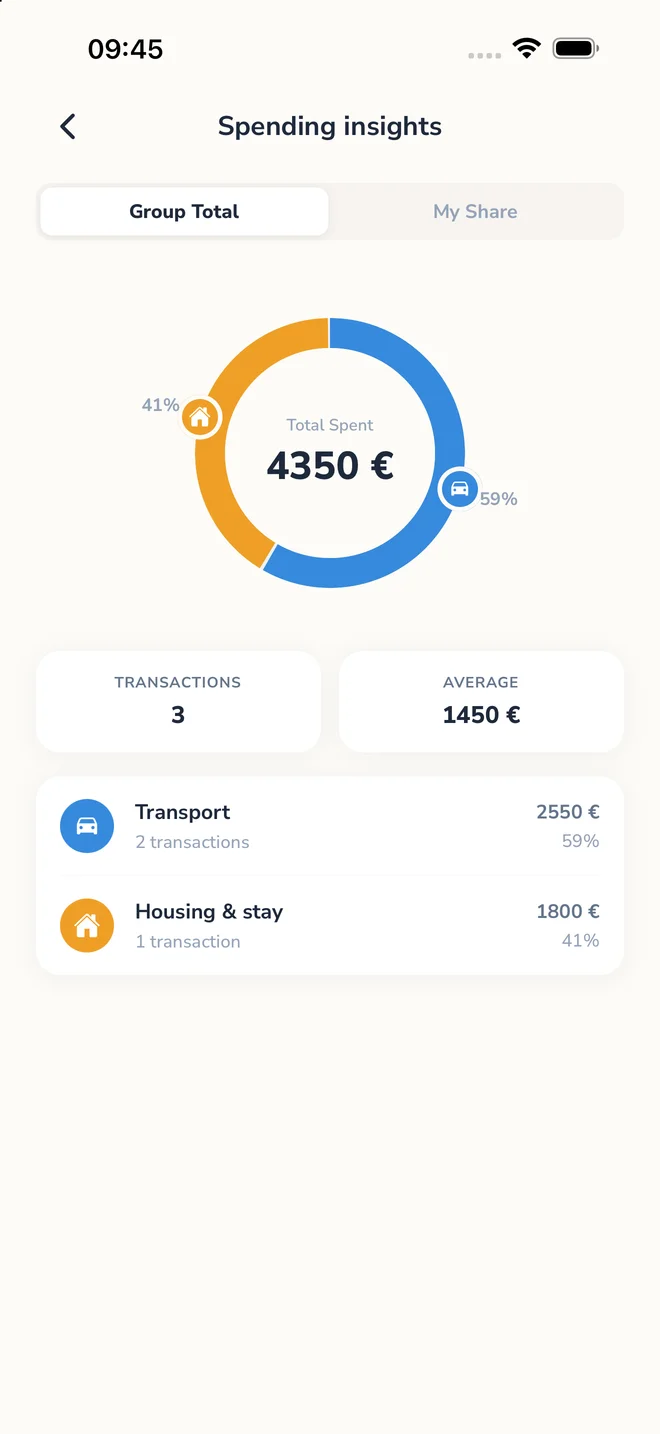
See category breakdowns and spending patterns for the group you’re viewing.
Keep shared notes, checklists, and who’s bringing what alongside your group expenses.


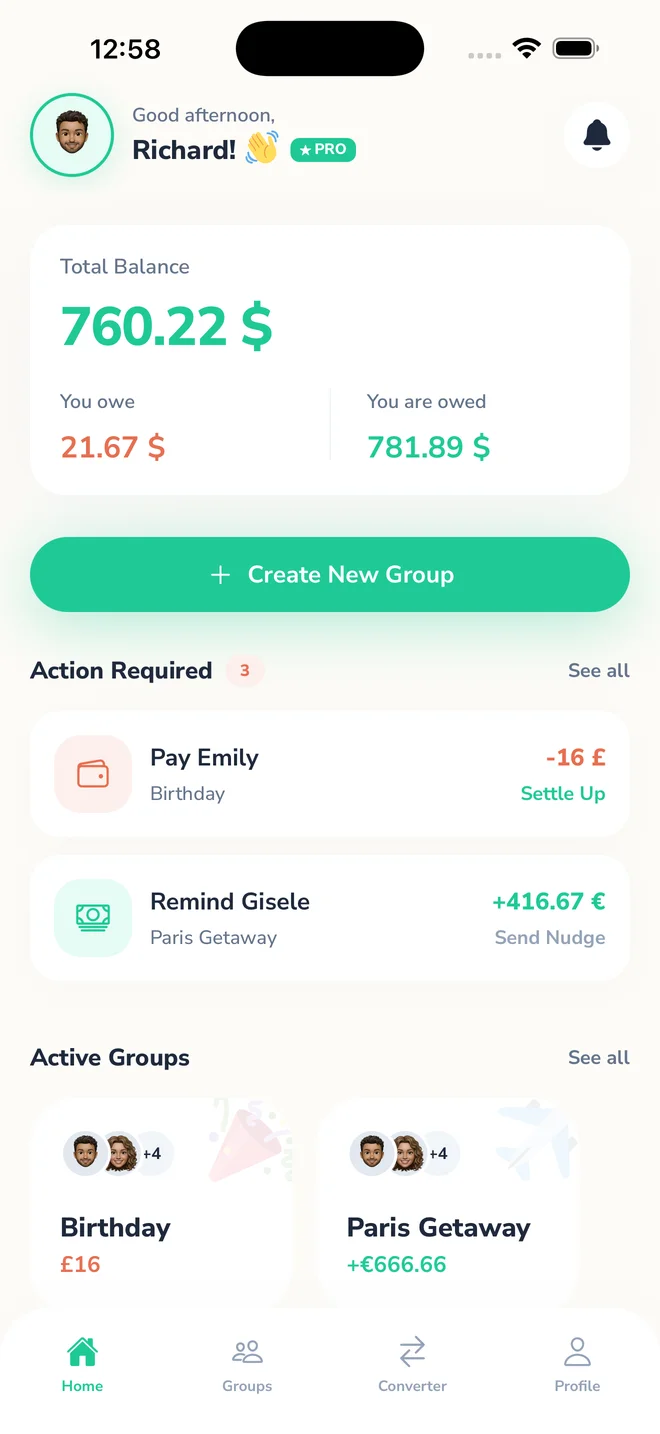
Splitra is a powerful expense sharing app designed to help you split expenses with friends, track group spending, and manage shared costs without confusion. Whether you're traveling, sharing rent, or splitting a dinner bill, Splitra makes it simple to keep everything balanced.
How to split expenses in seconds
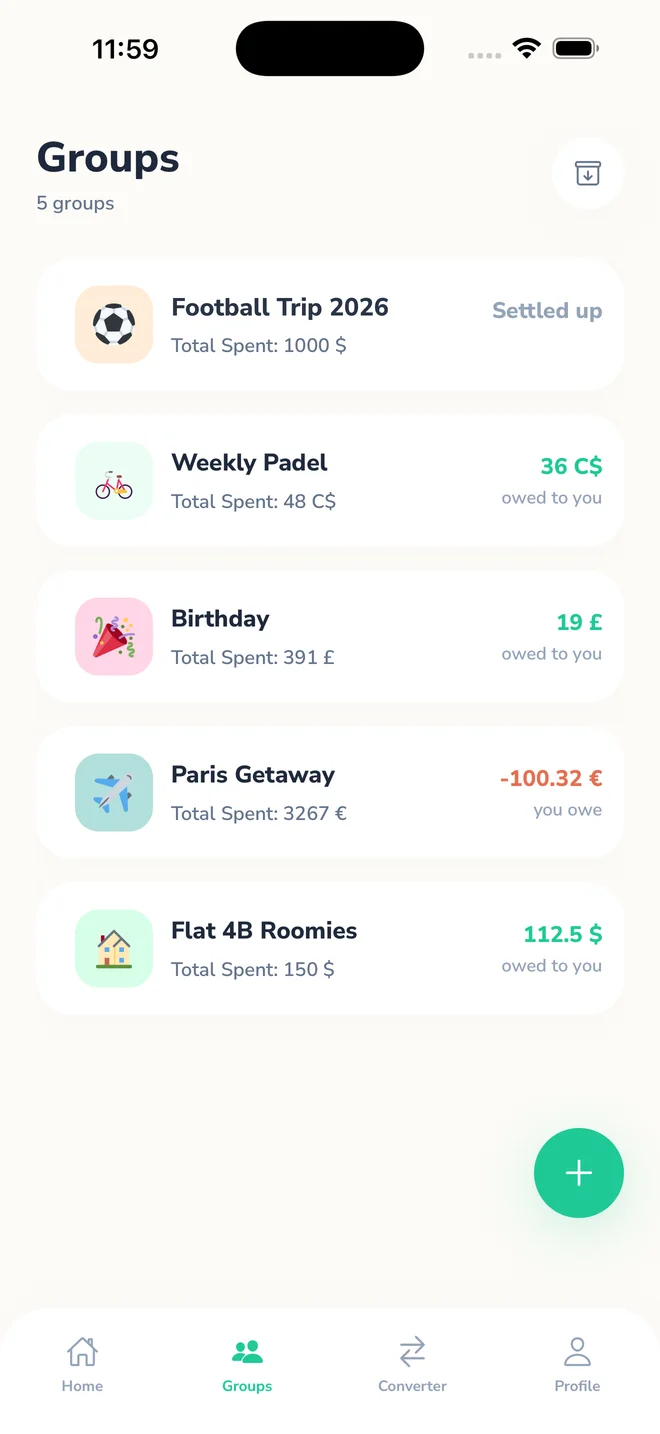
Start a group for your trip, event, or shared expenses.
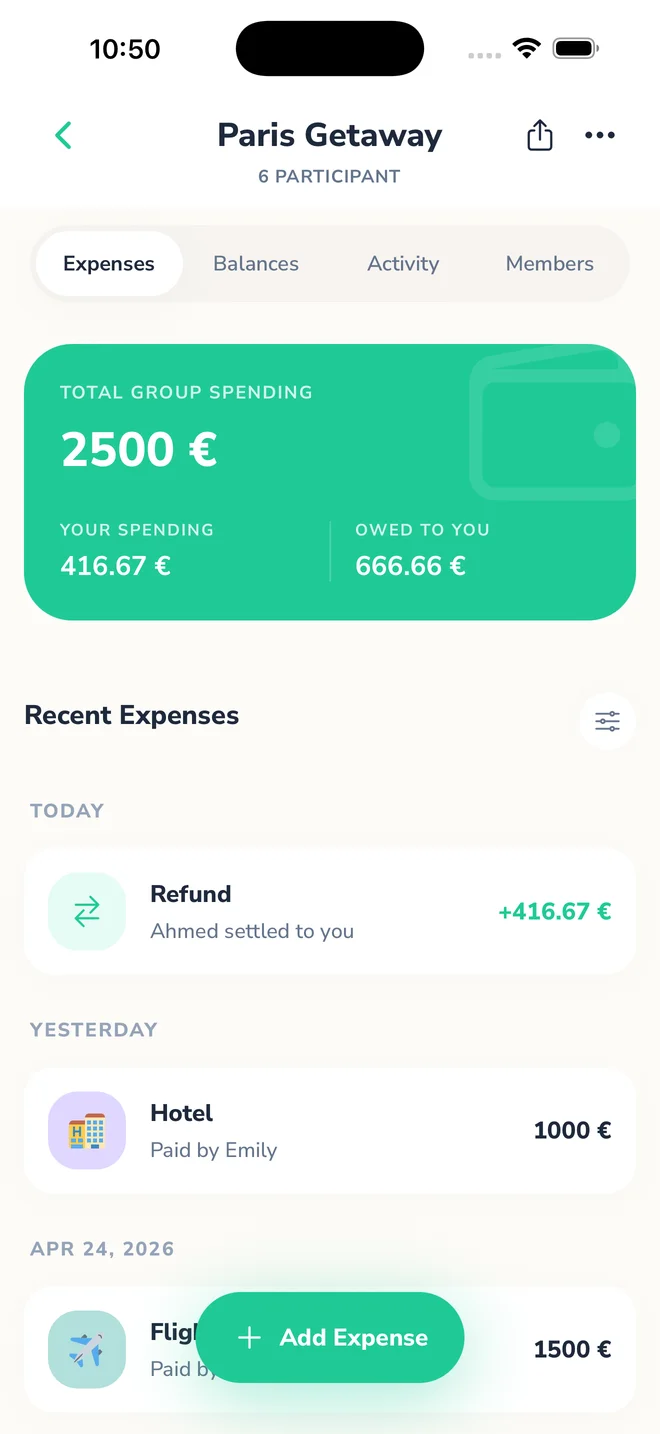
Log bills and split costs equally, by percentage, or custom amounts.
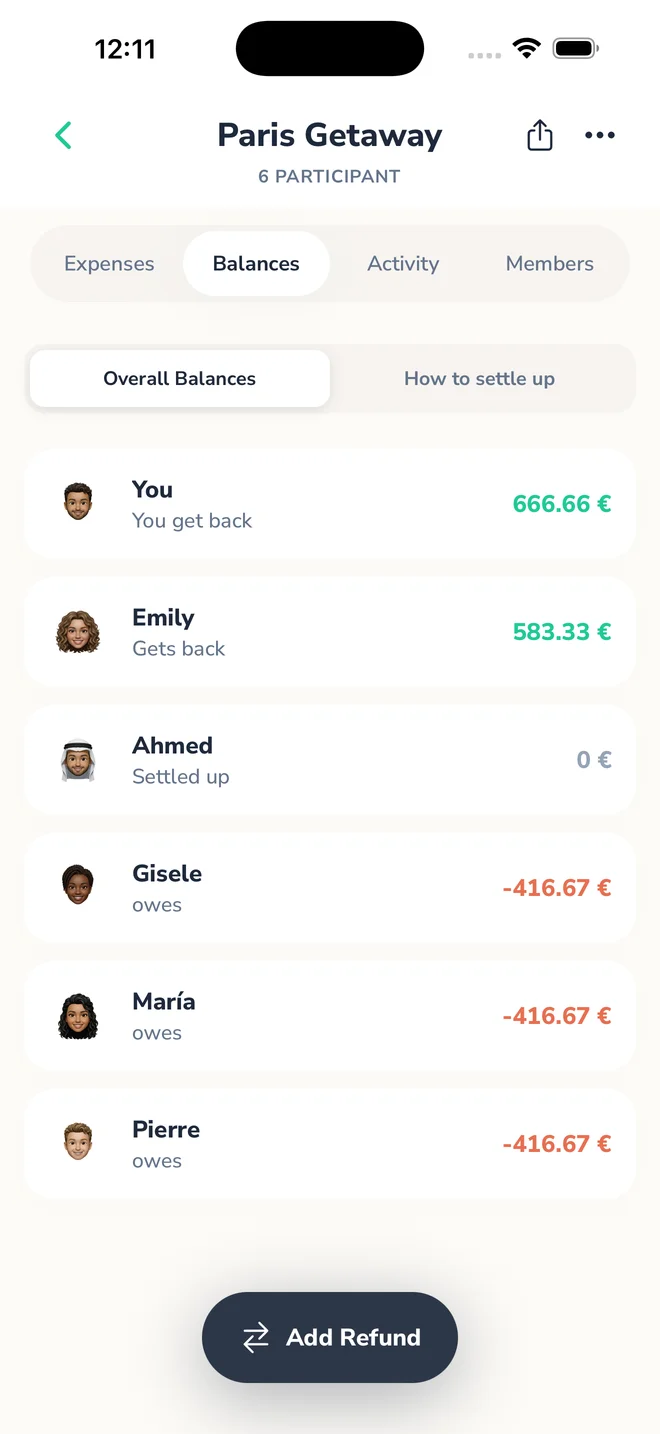
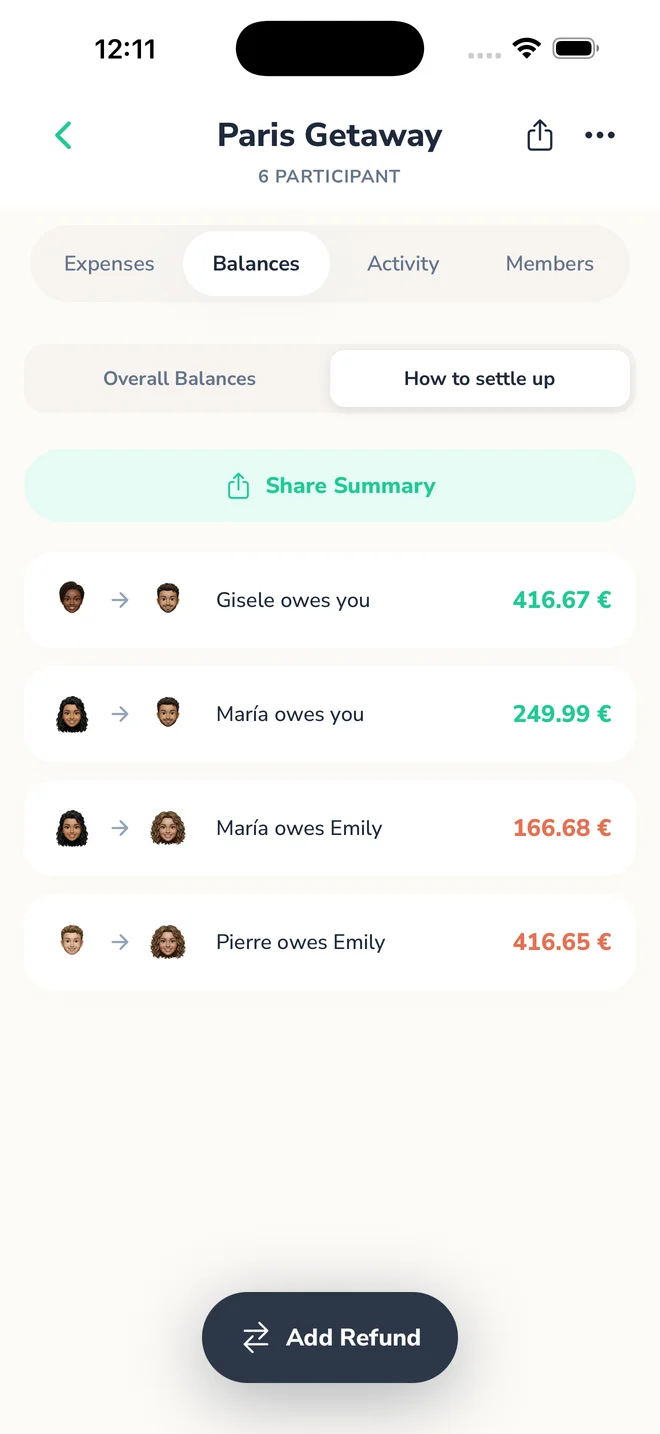
See who owes what and settle expenses easily.
Enjoy the trip, not the math
Track shared travel expenses, split costs across currencies, and stay focused on the trip, not the math.
→ Perfect for trips abroad
Split bills without awkward moments
Whether it’s dinner, drinks, or daily expenses, keep everything fair and transparent with zero confusion.
→ No more "who owes who?"
Stay balanced, stress-free
Manage shared spending from groceries to rent together, with full clarity and fairness.
→ Simple, transparent finances
Shared home, managed easily
Split rent, utilities, and household costs easily, and keep everything organized in one place.
→ Everything tracked
All-in-one expense sharing app for groups
Keep shared notes, checklists, and who’s bringing what alongside your group expenses.
Shared notes · Shared checklistsTrack shared expenses across multiple groups and currencies in real time.
Upload a receipt or take a photo and attach it to an expense or refund for a clear shared record.
Add expenses in different currencies within the same group while Splitra keeps balances aligned with hourly rates.
View all past expenses with full transparency, including refunds and receipt records, and export group expenses and refunds as CSV or PDF.
Keep track of who paid and who still owes money.
Send reminders to friends to settle balances quickly.
Shared notes · Shared checklists
Keep shared notes, checklists, and who’s bringing what alongside your group expenses.
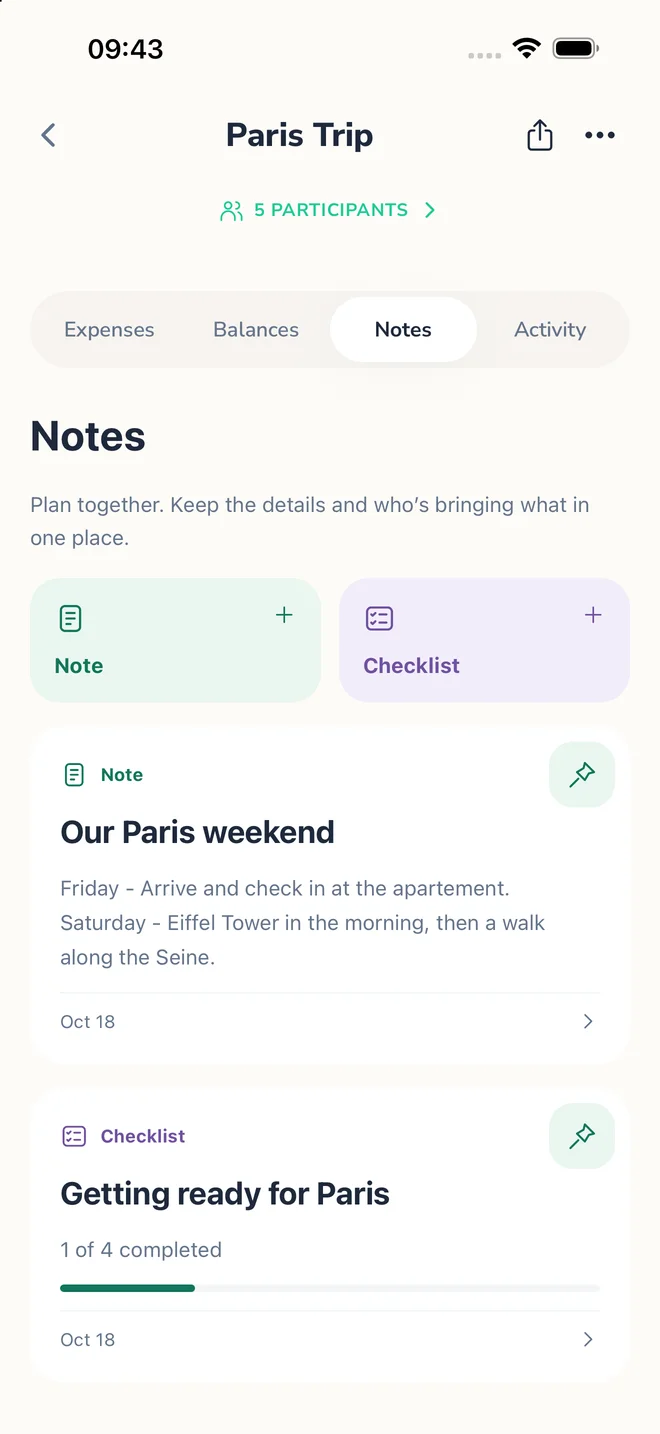
Keep trip itineraries, addresses, booking details, useful links, and event plans together. Group members can create and edit notes, and pin the important ones.
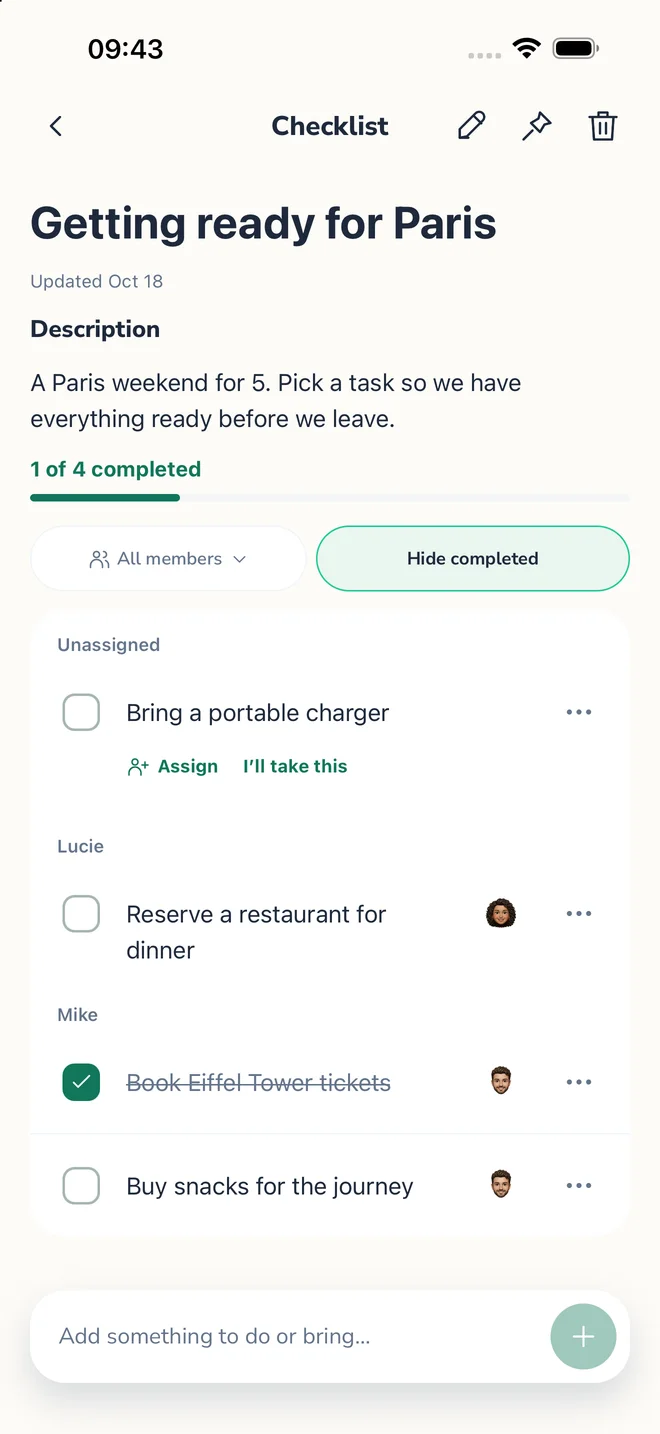
Give each checklist a title and an optional description. Add items, assign them to group members, or leave them unassigned. Members can take responsibility and mark items complete. See progress, filter by member, show or hide completed items, and pin important checklists.
Create and edit notes and checklists without an internet connection. Changes sync when your connection returns.
Deleted notes and checklists go to Trash, where you can restore them. Permanent deletion requires an internet connection.
Spending insights
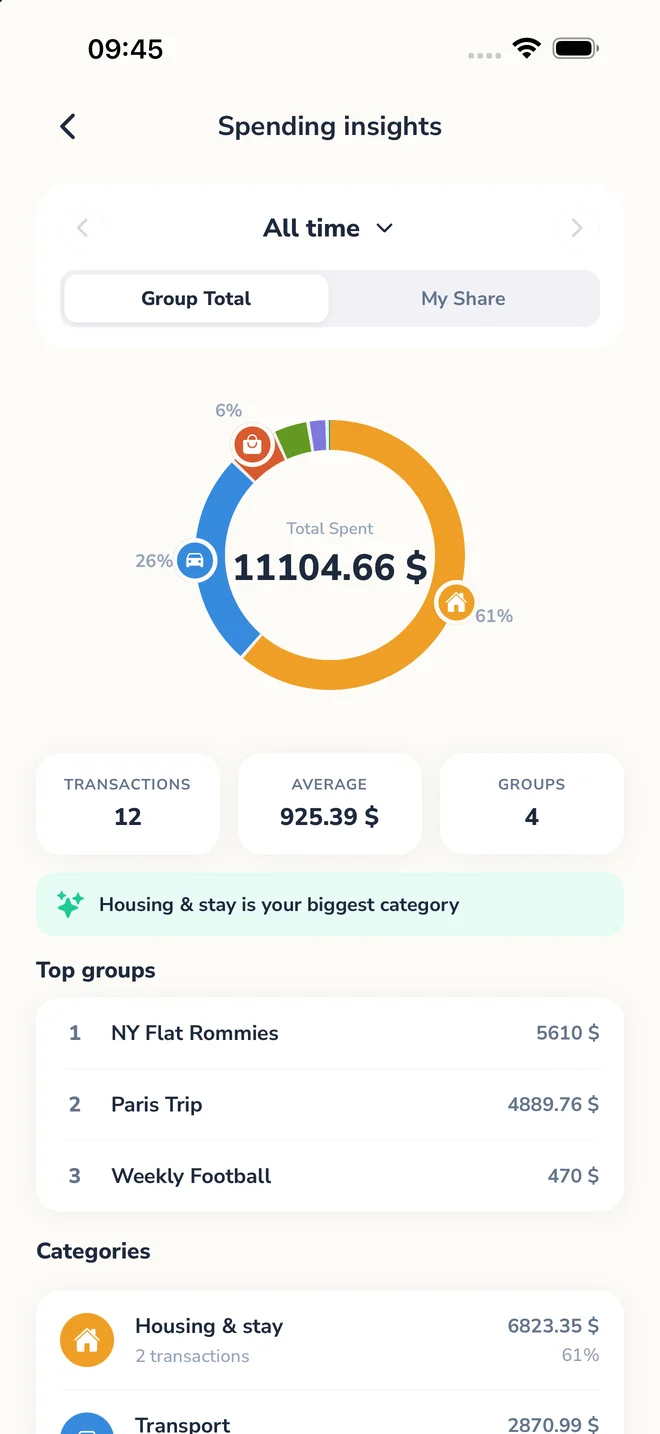
See spending by category inside each group for free, or unlock a complete view across every group with Pro.
See category breakdowns and spending patterns for the group you’re viewing.
See category trends and totals across all your groups in one place.
Built for real-life expense sharing
Manage group travel expenses across currencies effortlessly.
Split rent, utilities, and shared costs with ease.
Perfect for dinners, parties, and group activities.
Create and edit notes and checklists without an internet connection. Changes sync when your connection returns.
A beautiful, intuitive experience
Take a look at how Splitra simplifies your financial life with style.
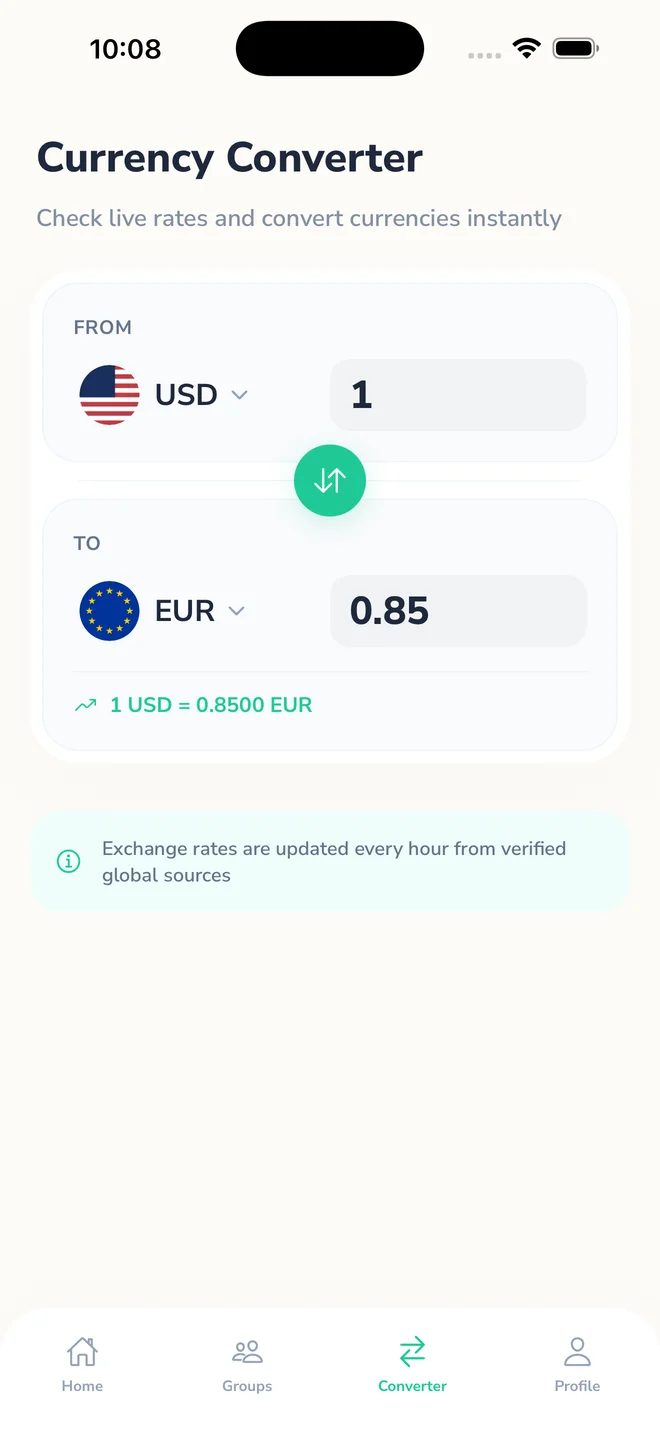
No need to search on Google for exchange rates. Splitra lets each group include expenses and refunds in different currencies, then uses hourly updates to keep shared balances clear.
Free expense sharing app with optional premium features
Start for free and upgrade for advanced features anytime.
Essentials for occasional group needs.
For power users and world travelers.
Subscribed and managed in-app
Frequently Asked Questions about splitting expenses
Your main dashboard provides a global overview across all your groups:
Inside a specific group, the figures help you track spending for that context alone:
Splitra calculates expenses to the exact cent ($0.01). In cases where a bill can't be split perfectly, our system handles the remaining cent to ensure the group's math always balances perfectly.
Example: Splitting $100.00 among three people results in two people owing $33.33 and one person owing $33.34.
Splitra uses a smart settlement engine to **minimize the number of transactions**. Instead of everyone paying each other small amounts, the app optimizes payments so the fewest number of transfers settle the entire group's debt.
This ensures that you spend less time handling bank transfers and more time enjoying your groups.
Split group expenses, track balances, and organize shared notes and checklists in one place.
Start splitting bills, tracking expenses, and managing group spending with ease.